



Power BI is an incredibly powerful tool, but only if it’s implemented properly. That means more than just connecting it to your ERP system and publishing a few dashboards. For manufacturers, the difference between "just reporting" and true business intelligence comes down to process, ownership, and purpose.
At Visual South, we’ve helped manufacturers move from reactive reporting to a strategic BI environment that drives better decisions. In this article, we break down the key steps to properly implement Power BI.
Step 1: Start with Business Strategy, not a Dashboard Wishlist
The most common mistake in BI implementations is starting with tools, not goals. Instead of asking, “What reports do you want?”, the better question is, “What decisions are you trying to improve?”
Start by aligning Power BI initiatives with your top strategic priorities:
- Improve labor efficiency
- Reduce late shipments
- Increase margin per product line
- Improve on-time quoting
Each goal becomes the foundation for a focused BI use case.
Step 2: Build a Reporting Strategy with Lifecycle Support
Dashboards are not one-and-done. Proper BI implementation means treating reports like products—with ownership, iteration, and lifecycle support.
Each report should go through four key phases:
- Requirements Gathering – What decision will this report support?
- Development & Validation – Is the data accurate and structured well?
- Deployment – Who gets access, and how?
- Support & Enhancement – What happens when the business changes?
Every report should have a Report Owner and a Data Steward. This ensures the report stays relevant, trusted, and maintained over time.
Step 3: Use the Right Data Architecture
Effective Power BI implementations require an architecture that balances performance, flexibility, and governance.
The recommended architecture includes:
- Operational Data Store (ODS): Stages raw ERP data
- Data Marts: Curated datasets for business domains like sales, operations, or finance
- Central Semantic Model: Maintains consistent KPIs and measures
- Thin Reports: Lightweight, purpose-built reports that rely on the central model
This layered structure enables:
- Faster performance
- Easier report maintenance
- Consistent definitions across all reports
Step 4: Build Reports That Serve a Purpose
Reports should exist to help someone do something better—not just to display data.
That’s why Visual South categorizes reports by business purpose. Some examples from real implementations:
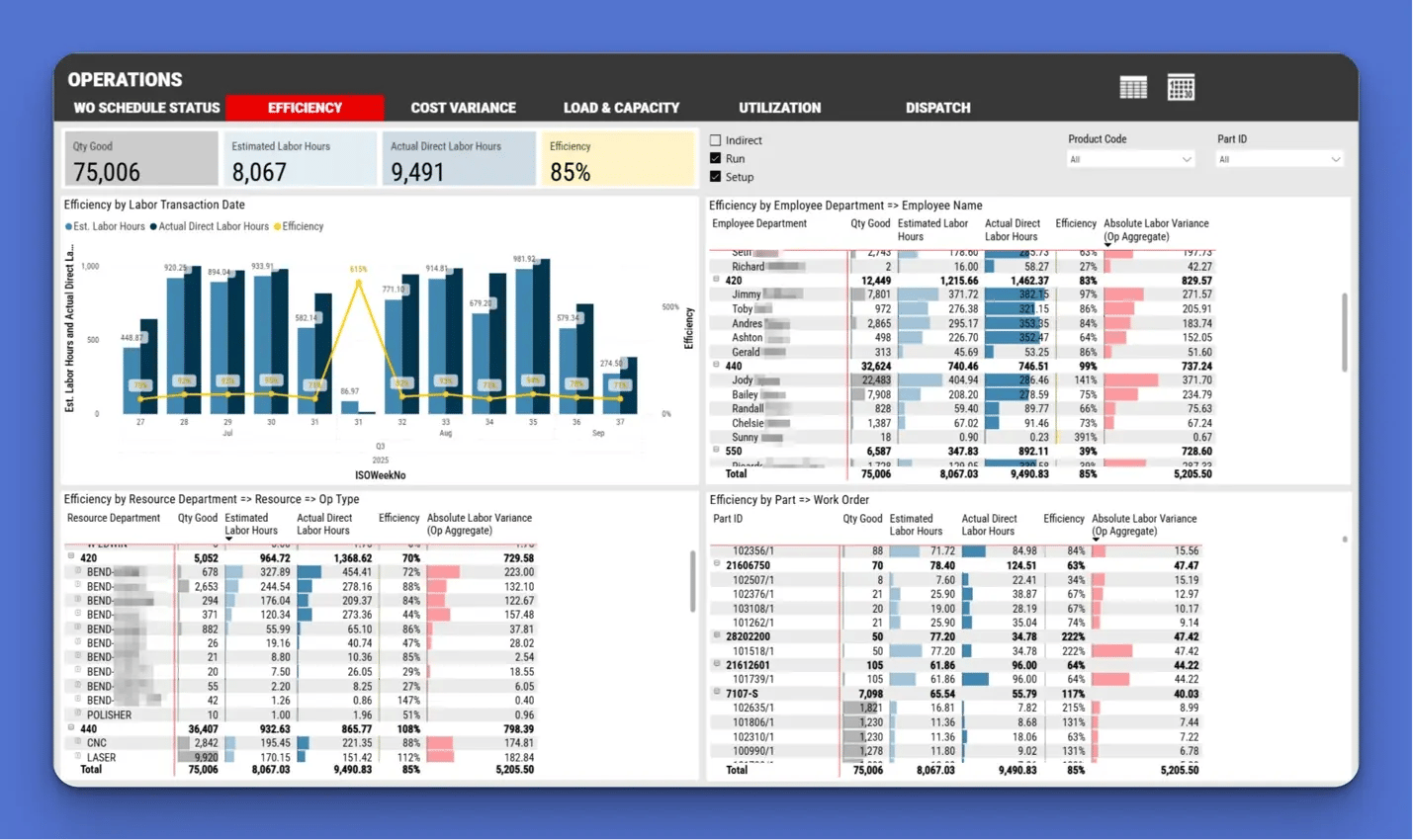
Efficiency Report: Helps supervisors identify underperforming labor
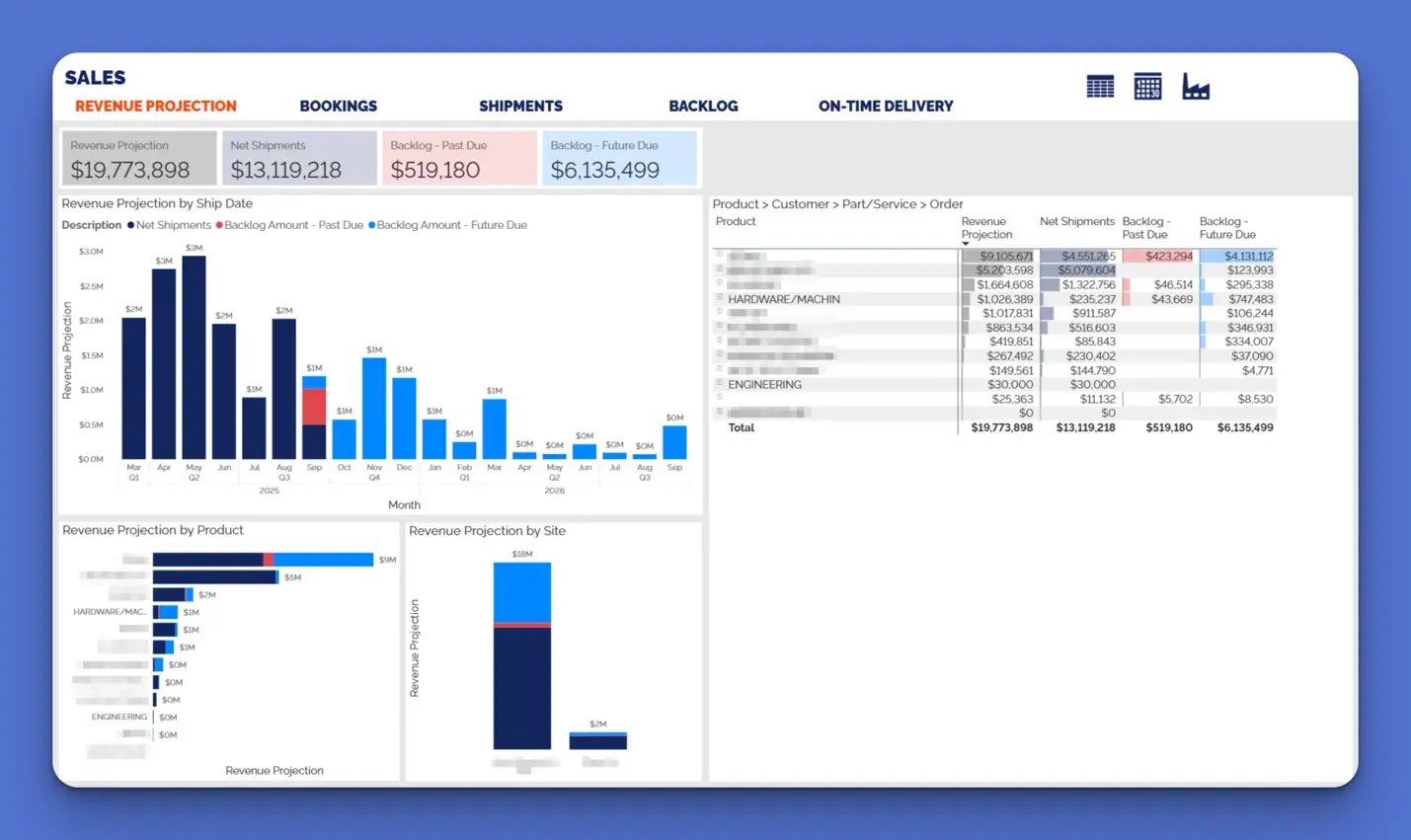
Revenue Projection: Combines backlog and shipment trends to forecast sales
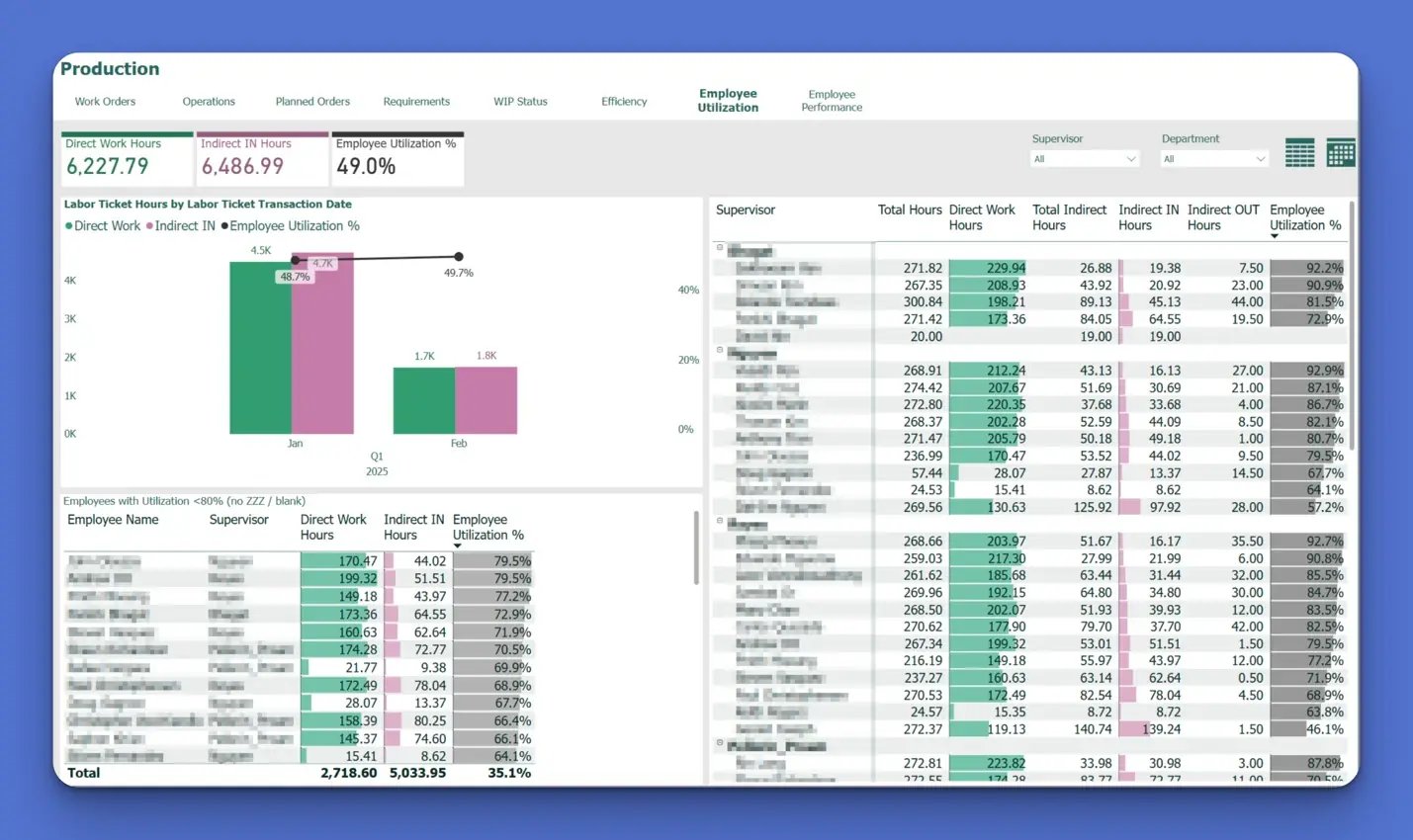
Utilization Dashboard: Shows how much paid time is being used for productive work
On-Time Delivery (OTD) Report: Closes the loop between schedule and actual performance
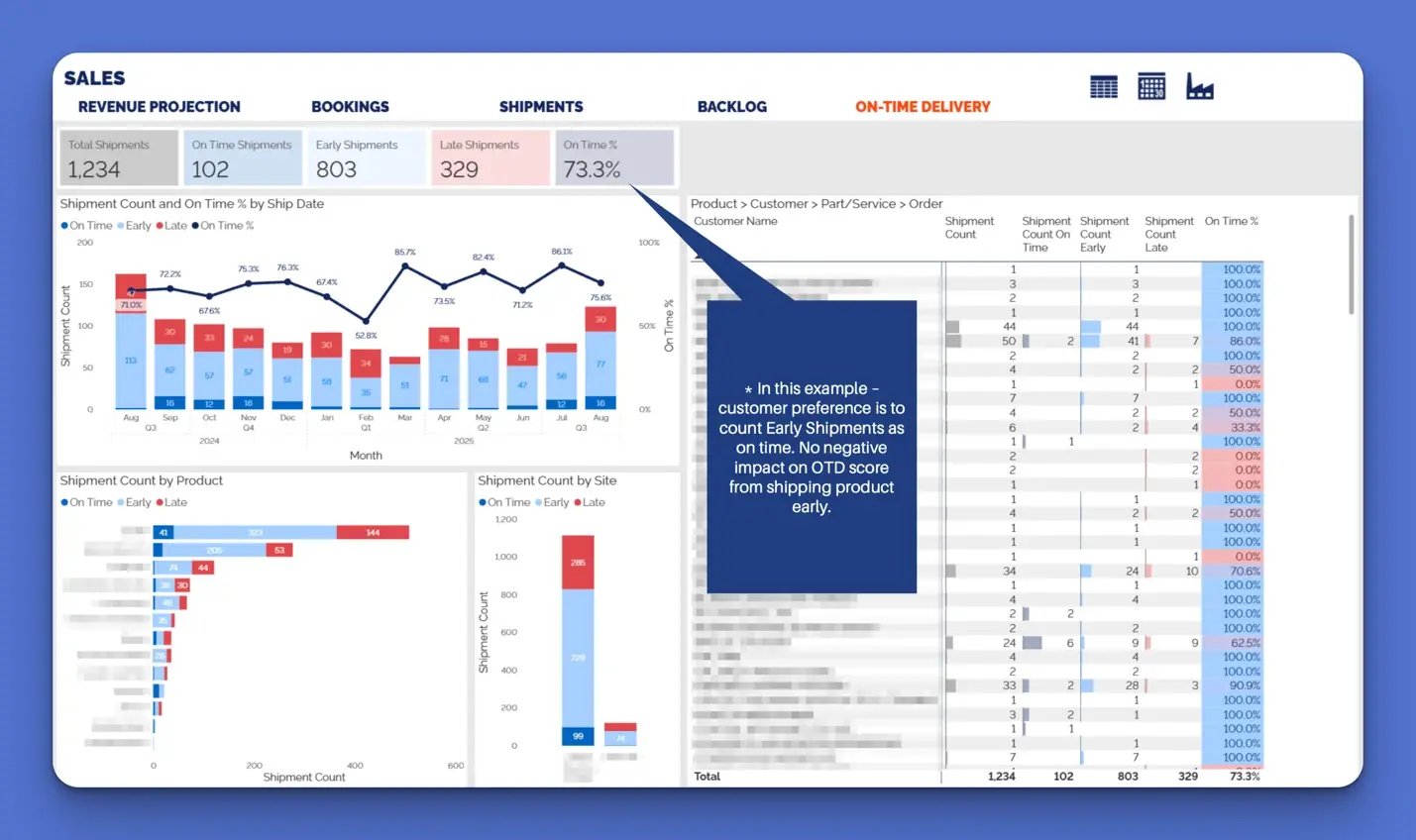
Each of these reports is tied to a decision or action, not just a KPI.
Learn more: Power BI Dashboards & Reports: 10 Real Examples for Manufacturers

Step 5: Define Governance and Ownership
To maintain trust in your BI environment, define clear governance:
- Who owns the data models?
- Who is responsible for validating accuracy?
- What’s the process for requesting new reports?
- How often are reports reviewed or retired?
Without governance, Power BI environments quickly become cluttered with abandoned or conflicting reports, leading to confusion and loss of trust.
Step 6: Train People on What the Report Means
Many organizations stop at technical training—how to open and filter reports. But successful BI programs go further. They teach users:
- What the report shows
- Why it matters
- What actions they’re expected to take
This transforms reporting from a passive exercise into a proactive tool for daily decision-making.
Related: How Does a Power BI Consultant Help a Manufacturing Company?
Step 7: Build a Feedback Loop
BI isn’t static. Use what you learn from report usage to improve the underlying data and business processes.
If a report reveals consistent delays in a certain operation, fix the operation. If sales bookings consistently spike and crash month to month, look at your quoting process. Let the reporting environment guide your improvement initiatives.
Learn more: Power BI for Manufacturing: Overview Guide
Final Thoughts
Power BI becomes transformative when it’s implemented as a system—not just a visual layer on top of ERP data. That means tying reports to decisions, assigning ownership, building scalable architecture, and embedding the reports into how people work every day.
Do that, and Power BI won’t just show you the past, it will help you control the future.