
If you’re running a manufacturing shop floor, you already know the drill: a printed traveler is the link between the production plan and the work actually happening on the floor. It moves with the job, carries instructions, and gives your employees a place to record progress. The problem is that paper starts going stale the moment a schedule, drawing, quantity, routing, or priority changes.
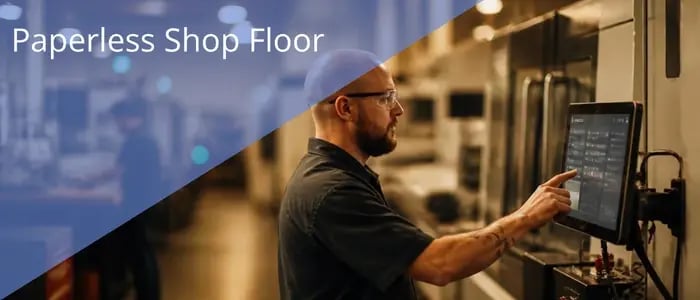
With Infor CloudSuite Industrial, a paperless shop floor replaces the printed traveler (and the delay and staleness). With Infor CloudSuite Industrial, your employees can see the job information they need at the point of work. Add Infor Factory Track and Infor Document Management, and your operators can report activity through touch screens or scanners, and open the latest drawings, notes, and specifications tied to the job.
The goal goes beyond removing printers and clipboards. A successful paperless process gives your operators clearer information while giving your supervisors faster, more accurate production feedback.
What changes when the traveler becomes digital
In a paper process, someone prints a packet after releasing the job. The packet may contain the routing, operation details, material requirements, drawings, inspection information, and spaces for handwritten labor or quantity updates. If engineering changes a drawing or planning changes the schedule, your employees must locate the old packet and replace the affected pages. That takes time, and there is always a risk that an outdated copy remains in use.
In a digital shop floor process, the system becomes the source of current production information. Infor CloudSuite maintains the job, operations, materials, resources, schedule, costs, work in process, scrap, and finished goods activity. Factory Track extends that information to a shop floor interface designed around your employee's task. Infor Document Management can connect controlled documents to ERP records and maintain version history, check-in and check-out, search, and role-based access.
Instead of asking which traveler is current, your employee opens the job or scans its barcode and works from the information connected to that record.
What an operator sees at the work center
Paperless doesn't mean giving every operator a full ERP screen. In fact, that would often make the process harder. Factory Track provides focused screens that can run on touch-screen devices and industrial hardware. The interface can show only the information required for the transaction or operation.
Depending on your configuration and process, your operators may be able to:
- Open a prioritized queue of assigned or available work.
- Scan the employee, job, operation, item, lot, or serial number.
- Start and stop labor or machine time.
- Review drawings, notes, specifications, and operation instructions linked to the job.
- Issue material and request replenishment, including Kanban replenishment where applicable.
- Report completed quantities, scrap, and job progress.
- Print or reprint labels when the process requires identification or traceability.
Factory Track can also support your employees working on several jobs through worksets and teams working together on one or more jobs. The design reflects what actually happens on many shop floors, where labor reporting isn't always one person working on one job from start to finish.
How a paperless job can move through the shop floor
1. Planning releases the job
Infor CloudSuite holds the job requirements, routing, material needs, due dates, and resource plan. Scheduling establishes the production priorities that the shop needs to execute.
2. The operator identifies the work
At the work center, your operator signs in or scans a badge, then selects or scans the job and operation. The screen presents the information associated with that work.
3. Current instructions appear with the job
Your operator can retrieve drawings or notes for the specific item, operation, or job. When controlled documents are managed through Infor Document Management, versioning helps you provide the latest approved information instead of relying on copies already circulating on the floor.
4. The operator records work as it happens
Your employee starts labor or machine time, issues material, reports production, and records scrap using a touch screen or scanner. Factory Track updates the ERP in real time, which removes the delay created when someone later enters handwritten traveler data.
5. Supervisors see current status
Your managers can review job progress, actual hours, material usage, completed quantities, and exceptions while the job is still active. That visibility supports faster decisions when production falls behind, a material problem appears, or priorities change.
Why manufacturers move away from printed travelers
The most visible savings may come from paper, printing, and filing, but the larger benefit comes from removing the work that surrounds paper. Your employees no longer need to distribute updated packets, search for missing travelers, decipher handwriting, or enter the same production information again at the end of a shift.
A connected shop floor can help you:
- Reduce time spent preparing, distributing, collecting, and re-entering paperwork.
- Lower the risk that employees build from an outdated drawing or instruction.
- Capture labor, material, production, and scrap information closer to the time the work occurs.
- Improve visibility into work in process and the status of priority jobs.
- Create stronger traceability for items, lots, serial numbers, and production transactions.
- Give supervisors earlier notice of exceptions instead of waiting for paperwork to reach the office.
- Improve the accuracy of job costing because actual labor and material usage flow back to Infor CloudSuite.
Factory Track also connects paperless execution with better labor utilization. Digital instructions, prioritized job queues, job and operation-level labor reporting, and real-time production feedback can reduce administrative work and help your teams align people with current production needs. The exact result depends on process design, data quality, adoption, and how consistently your employees use the system.
One common concern we hear is that removing the traveler also removes something useful from the operator. That happens when a company treats paperless as a scanning project instead of a process redesign.
The digital experience should answer the same practical questions a good traveler answers: What job should I work on? Which operation comes next? What quantity do I need to make? Which materials apply? What drawing or revision should I use? What quality checks must I complete? How do I report time, production, and scrap?
The difference is that those answers come from connected records. When the job changes, the system can present the updated priority or information without asking someone to retrieve every printed packet. Your operators still get the detail they need, while you gain control over where that detail comes from.
Where manufacturers should start
A paperless shop floor works best when you begin with the production process rather than the device. Before selecting kiosks, tablets, or scanners, map how a job moves through your shop today and identify every point where employees read, write, print, carry, or re-enter information.
Key decisions include:
- Which information must appear for each job and operation.
- Which documents require revision control and approval.
- Where employees will scan or enter labor, material, production, scrap, and quality results.
- Which devices fit the environment, including glove use, dust, distance, connectivity, and shared work centers.
- How exceptions will work when a barcode will not scan, a document is missing, or the network is unavailable.
- Which pilot area offers enough value to prove the process without creating unnecessary complexity.
It's also important to clean up routings, operation instructions, item records, barcodes, and document ownership before rollout. Technology can deliver information quickly, but it can't make unclear or outdated source data useful.
A realistic goal for going paperless
Let's be honest: Can you remove every piece of paper from the shop floor? Probably not. There will still be situations where paper makes sense, yes. But if you map your processes and use the ERP to store and deliver current drawings, work instructions, and material requirements, you can drastically reduce the paper moving through production.
Your employees should also understand what they gain when the company prints fewer travelers. Less time spent printing, sorting, locating, replacing, and returning paperwork gives them more time for training, accurate reporting, quality checks, continuous improvement, and the work that keeps production moving.
Visual South has sold and implemented Infor ERP for over 25 years, and we can help you evaluate your current traveler process, determine which Infor shop floor capabilities fit your operation, and build a practical plan for moving from paper-based reporting to connected execution with Infor CSI.